A woman with voluminous hair, layered necklaces, and a patterned jacket in an ’80s snapshot.A man in an acid-wash denim jacket and pink shirt beside a boombox in an ’80s snapshot.A man in a teal and purple windbreaker and acid-wash jeans sitting on steps in an ’80s snapshot.A woman in a denim jacket, magenta shirt, and gold jewelry in an ’80s snapshot.A woman in a denim jacket, pink scarf, and pink hoop earrings in an ’80s snapshot.

Imagine me in the ’80s

See yourself in a different decade. Turn your photo into an ’80s-inspired portrait with bold hair, vintage clothes, and a classic film-camera look.

  1. Upload
  2. Log in
  3. Create
  • Start with your photo

    Upload a clear photo of yourself so your face stays recognizable.

  • Find your ’80s look

    Reimagine your hair, clothes, and surroundings with unmistakable mid-decade style.

  • Keep it recognizably you

    Check the details, then ask for another outfit or setting if you want a different look.

Your face. A whole different decade.

Explore ’80s-inspired makeovers, from bold accessories and big hair to the color and texture of a vintage snapshot.

Original portrait before the ’80s makeover.
A woman with voluminous hair, layered necklaces, and a patterned jacket in an ’80s snapshot.
Original portrait before the ’80s makeover.
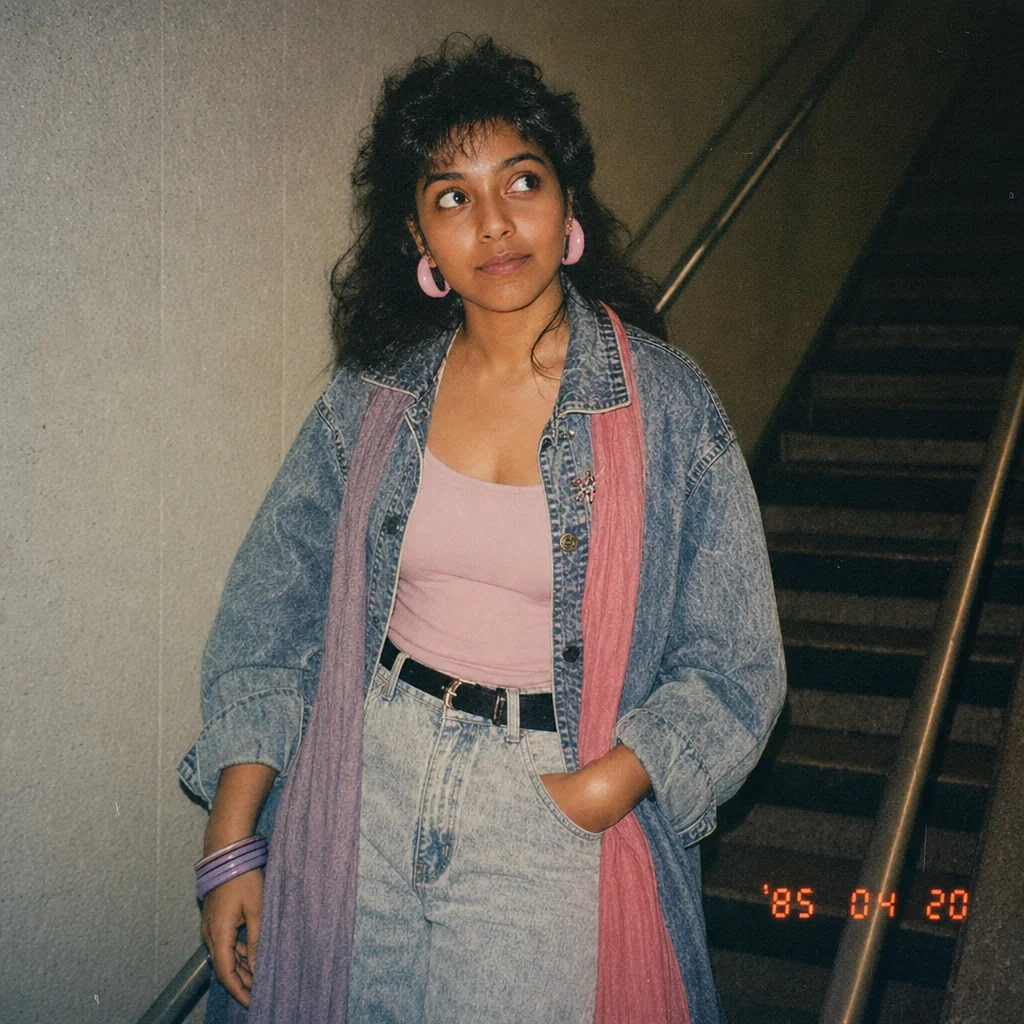
A woman in a denim jacket, pink scarf, and pink hoop earrings in an ’80s snapshot.
Original portrait before the ’80s makeover.
A woman in a denim jacket, magenta shirt, and gold jewelry in an ’80s snapshot.

Get started

Attach your portrait, create your 1980s look, and refine the actual result.

Step 1

Create your ’80s portrait

Attach your original photo and use the official 80s flashback prompt.

Step 2

Refine the first result

Ask for a cobalt-blue jacket and larger earrings while preserving your face and the rest of the scene.

The refined ’80s portrait with a cobalt-blue jacket and larger earrings.

Step 3

Review the refined portrait

Compare your likeness and the requested changes in the actual refined result.